UTM parameters are short tags you add to the end of a URL so your analytics tool knows exactly where a visitor came from. For attribution that actually holds up in reporting, every link needs three fields: utm_source, utm_medium, and utm_campaign. If you’re on GA4, there’s a fourth to know about, utm_id, which links your campaign to imported cost data.
TL;DR:
- Most UTM parameters, especially source, medium, and campaign, account for nearly all meaningful campaign attribution data, making
utm_termandutm_contentoptional unless detailed segmentation is needed.- Manual UTM link creation requires careful encoding, use of URL builders, and testing to prevent syntax errors, with case-sensitive values leading to fragmented reports.
- Different marketing channels have distinct UTM patterns, and cross-channel inconsistencies can cause attribution misreporting or data fragmentation.
- Consistent naming conventions, lowercasing, approved source/medium lists, and regular validation help maintain clean and reliable analytics data.
- GA4 records UTM data in both session and user-specific dimensions, with the
utm_idparameter mainly necessary for importing external ad spend data.
Table of Contents
- What Do UTM Parameters Actually Track?
- How Do You Build a UTM Link Without Breaking It?
- Which Channels Need Different UTM Patterns?
- What Naming Rules Keep Your Reports Clean?
- Why Does UTM Data Get Fragmented?
- How Does GA4 Actually Read Your UTM Tags?
- Ready-to-Use UTM Templates You Can Copy
- How Preferic Governs UTMs for Small-Business Clients
- Sources
What Do UTM Parameters Actually Track?
Five parameters make up the original UTM standard, and each one answers a different question about a visitor’s journey. Wikipedia’s technical breakdown confirms these five: utm_source, utm_medium, utm_campaign, utm_term, and utm_content. Not all five carry equal weight.
- utm_source answers “where did this click come from?” (
utm_source=newsletter,utm_source=facebook) - utm_medium answers “what type of channel was it?” (
utm_medium=email,utm_medium=cpc) - utm_campaign answers “which specific initiative was this?” (
utm_campaign=spring_sale) - utm_term captures paid search keywords (
utm_term=plumber+near+me) - utm_content distinguishes creative versions in the same campaign (
utm_content=header_cta) - utm_id (GA4-specific) ties a campaign to imported cost data (
utm_id=7743)
According to Bitly’s breakdown of UTM structure, the first three parameters do almost all the analytical heavy lifting. utm_term and utm_content are situational, worth adding only when you actually plan to act on that extra layer of detail. A full tagged link looks like this: preferic.com/blog?utm_source=facebook&utm_medium=paid_social&utm_campaign=spring_sale&utm_content=carousel_ad1. Each piece after the question mark is a key-value pair separated by an ampersand, and together they tell your analytics platform the full story of that click.
How Do You Build a UTM Link Without Breaking It?
Building a UTM link by hand just means appending a question mark, then chaining key=value pairs with ampersands. Spaces in values need to be encoded as %20 or an underscore, since raw spaces can break the URL when it’s shared or clicked.
- Start with the destination URL.
- Add a question mark, then your first parameter (
utm_source=instagram). - Chain each additional parameter with an ampersand, never a comma or a plus sign outside of encoded spaces.
- Use Google’s Campaign URL Builder to generate the string automatically and avoid typos.
- For platforms running dozens of ads, swap static values for dynamic macros (like
{{campaign.name}}in Google Ads) so the platform fills in the right value per ad automatically. - Run every link through a QA click-test before it goes live.
For anything beyond a handful of links, build a shared template spreadsheet with dropdown menus for approved source and medium values. Pair that with a link shortener so long tagged URLs don’t look intimidating in an email or a printed flyer. Google’s own guidance notes that parameter values are case-sensitive, which is the single most common way campaigns accidentally split their own data into duplicate rows.
Pro Tip: Before you send a single tagged link live, paste it into a browser and confirm it lands on the right page with no broken characters. A five-second check now saves hours of cleanup later.
Common syntax mistakes to avoid: using a ? more than once in the same URL, forgetting the & between parameters, leaving spaces unencoded, and mixing capitalization across the same campaign.
Which Channels Need Different UTM Patterns?
Not every channel gets tagged the same way, and mixing conventions across channels is how attribution reports quietly fall apart.
- Email:
utm_source=mailchimp(or your platform),utm_medium=email,utm_campaign=name of the send - Paid social:
utm_source=facebook,utm_medium=paid_social, distinct from organic posts - Paid search:
utm_source=google,utm_medium=cpc,utm_termfor the keyword - Partner or affiliate links:
utm_source=partnername,utm_medium=affiliate - QR codes and print:
utm_source=flyerorutm_source=postcard,utm_medium=print
Skip UTMs on internal links between pages of your own site. Tagging internal navigation overwrites the original session’s source with your own domain, erasing the record of how that visitor actually arrived. Also leave UTMs off canonical URLs meant for search engines to index.
One conflict worth knowing about: Google Ads auto-tagging adds a gclid parameter automatically, and if you also slap manual UTMs on the same link, the two systems can fight over which one GA4 trusts for that session. A tagging guide from FlyerBuild covers this same principle for offline QR campaigns, where a mistagged code can misattribute a whole print run’s worth of scans.
What Naming Rules Keep Your Reports Clean?
Fragmented reporting almost always traces back to inconsistent naming, not a broken tool. Google’s own campaign documentation is blunt about this: URL parameters are case-sensitive, so Facebook and facebook will show up as two separate sources in your reports.
- Lowercase everything, always, no exceptions
- Pick one separator (underscores or hyphens) and never mix them within the same account
- Keep an approved list of source and medium values so nobody invents a new one mid-campaign
- Use a consistent campaign name pattern, like
2026_q2_productlaunch_email, so campaigns sort chronologically and by type
A useful governance checklist covers four things: who owns the naming convention document, where it’s stored, who enforces it before links go live, and whether any part of tagging can be automated. Practical experience shows this works best as a combination, not a single fix: a shared spreadsheet of approved values, a link builder that enforces those values, and an automated check before publishing. For teams managing Meta campaigns specifically, Stefano Mazzei’s naming convention guide offers a useful template for keeping ad-level names consistent with your UTM structure.
Pro Tip: Write your naming convention down in a one-page document and pin it where every teammate who touches a link can see it. The rule that lives only in your head is the rule nobody else follows.
Why Does UTM Data Get Fragmented?
Most broken attribution comes down to a short list of repeat offenders:
- Case mismatches (
Emailvsemail) that split one channel into two rows - Inconsistent source names across teams (
fb,facebook,FB Ads) - Missing parameters on some links in a batch but not others
- Manual UTMs layered on top of Google’s auto-tagged
gclidlinks, creating conflicting session data
Quick fixes include merging duplicate rows in a GA4 exploration report and correcting channel grouping rules going forward. Longer-term repair sometimes requires an ETL adjustment if the bad data feeds into a data warehouse.
Before any campaign goes live, run a short validation pass: click every link, confirm the destination loads, check that every value is lowercase, and confirm the source/medium combination matches your approved list.
How Does GA4 Actually Read Your UTM Tags?
GA4 doesn’t just log a UTM string. It writes those values into two separate places: a session-scoped dimension for how that particular visit was acquired, and a first-user dimension for how that person was acquired the very first time they ever showed up. A 2026 enterprise UTM guide from Terminus explains that this distinction matters when a returning visitor’s original acquisition source differs from the source of their latest session.
utm_source,utm_medium, andutm_campaignpopulate both the session and first-user scoped acquisition reportsutm_idexists specifically for teams importing cost data from an ad platform, letting GA4 join spend figures to session data by a stable ID- Most small businesses don’t need
utm_idunless they’re pulling in paid media cost reports for ROI calculations
If your team runs Adobe Analytics or another platform instead of GA4, don’t assume the mapping behaves identically. Terminus notes that GA4’s session versus first-user split is a platform-specific behavior, and other tools may need custom dimension mapping to replicate it.
Pro Tip: If you’re not importing ad spend data into your analytics platform, skip utm_id entirely. Adding a parameter you don’t use is just one more field that can be typed inconsistently.
Ready-to-Use UTM Templates You Can Copy
Copying a proven pattern beats building one from scratch every time you launch a new link. Below are templates for the five channels most small businesses tag most often.
| Channel | Template |
|---|---|
| Email newsletter | ?utm_source=mailchimp&utm_medium=email&utm_campaign=2026_q2_newsletter |
| Paid social | ?utm_source=facebook&utm_medium=paid_social&utm_campaign=spring_sale&utm_content=carousel_ad1 |
| Paid search | ?utm_source=google&utm_medium=cpc&utm_campaign=brand_terms&utm_term=plumber+near+me |
| Partner/affiliate | ?utm_source=partnername&utm_medium=affiliate&utm_campaign=referral_q2 |
| QR code/print | ?utm_source=flyer&utm_medium=print&utm_campaign=local_promo_2026 |
In that paid social example, utm_source names the platform, utm_medium classifies it as paid rather than organic, utm_campaign ties it to a specific initiative, and utm_content isolates which ad creative earned the click. Before publishing any of these, run through a short checklist: confirm lowercase values, confirm the destination URL loads, confirm the source/medium pair matches your approved list, and confirm no spaces are left unencoded.
How Preferic Governs UTMs for Small-Business Clients
Every client account starts with a shared naming template, so a roofer’s Facebook campaign and a dentist’s email send follow the exact same lowercase, underscore-separated structure. That consistency is what lets us build clean monthly reports instead of untangling mismatched source names first.
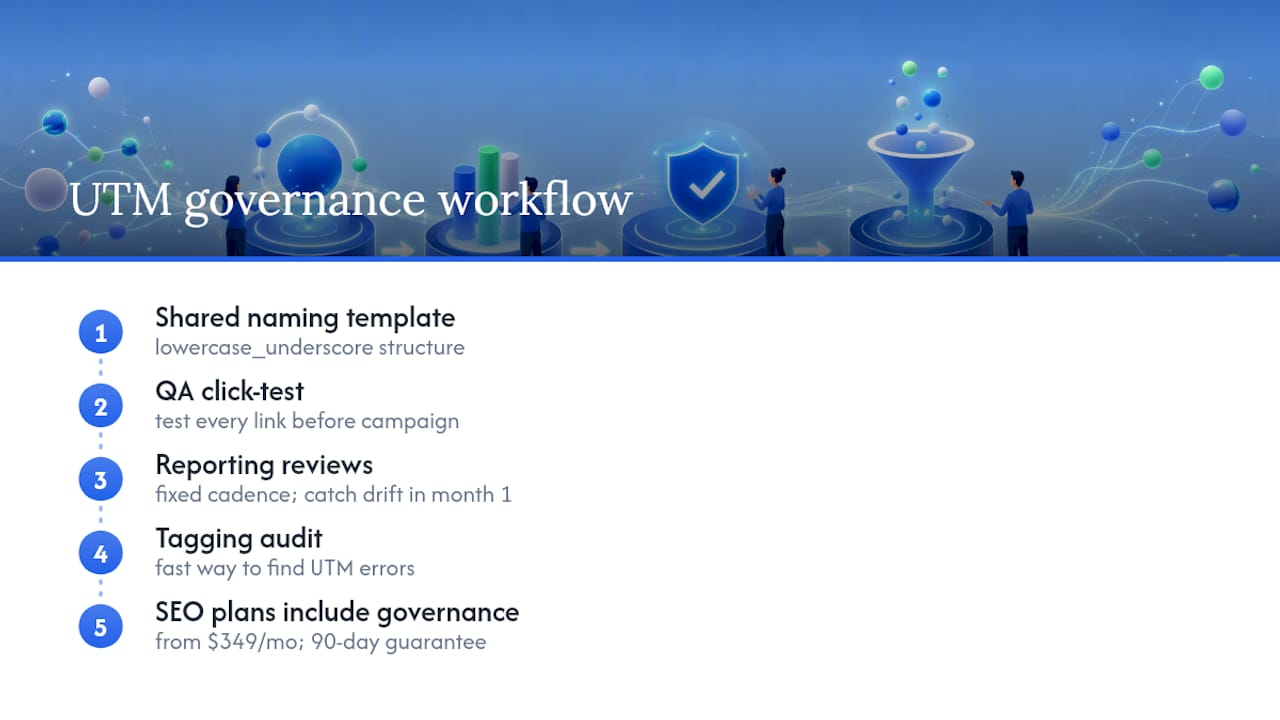
Before any link goes into a client campaign, it passes through a QA click-test, and reporting reviews happen on a fixed cadence so a naming drift gets caught in the first month, not six months later. Preferic’s approach to campaign tracking is part of a broader content marketing service built around measurable growth, backed by results like the 210% organic traffic increase documented for a fashion client within a year.
If your own UTM data feels scattered across campaigns and channels, a tagging audit is often the fastest way to find out why. Preferic’s SEO plans start at $349 a month with a 90-day guarantee, and every plan includes the same governance structure described above.
— Deepak